Address in, feasibility study out in one click.

Enter an address. Gen creates multiple development scenarios, down to the floor plan, and gives you the numbers that matter: buildable area, cost, and return. Export straight to Revit or IFC.

Updates on every release and what we are building next. Privacy policy.

how it works

From address to feasibility, in four steps

One run takes a site from raw constraints to a buildable model and the business case behind it.

01

Enter an address

Gen pulls zoning, density, and parcel geometry automatically.

02

See what you can build

Several massing options for the same site: more area, more height, or a different mix, each already checked against zoning, density, and coverage limits.

03

Know if it pays

The business case from local rents, sale prices, and build costs: GDV, yield, and ROI.

04

Take over anytime

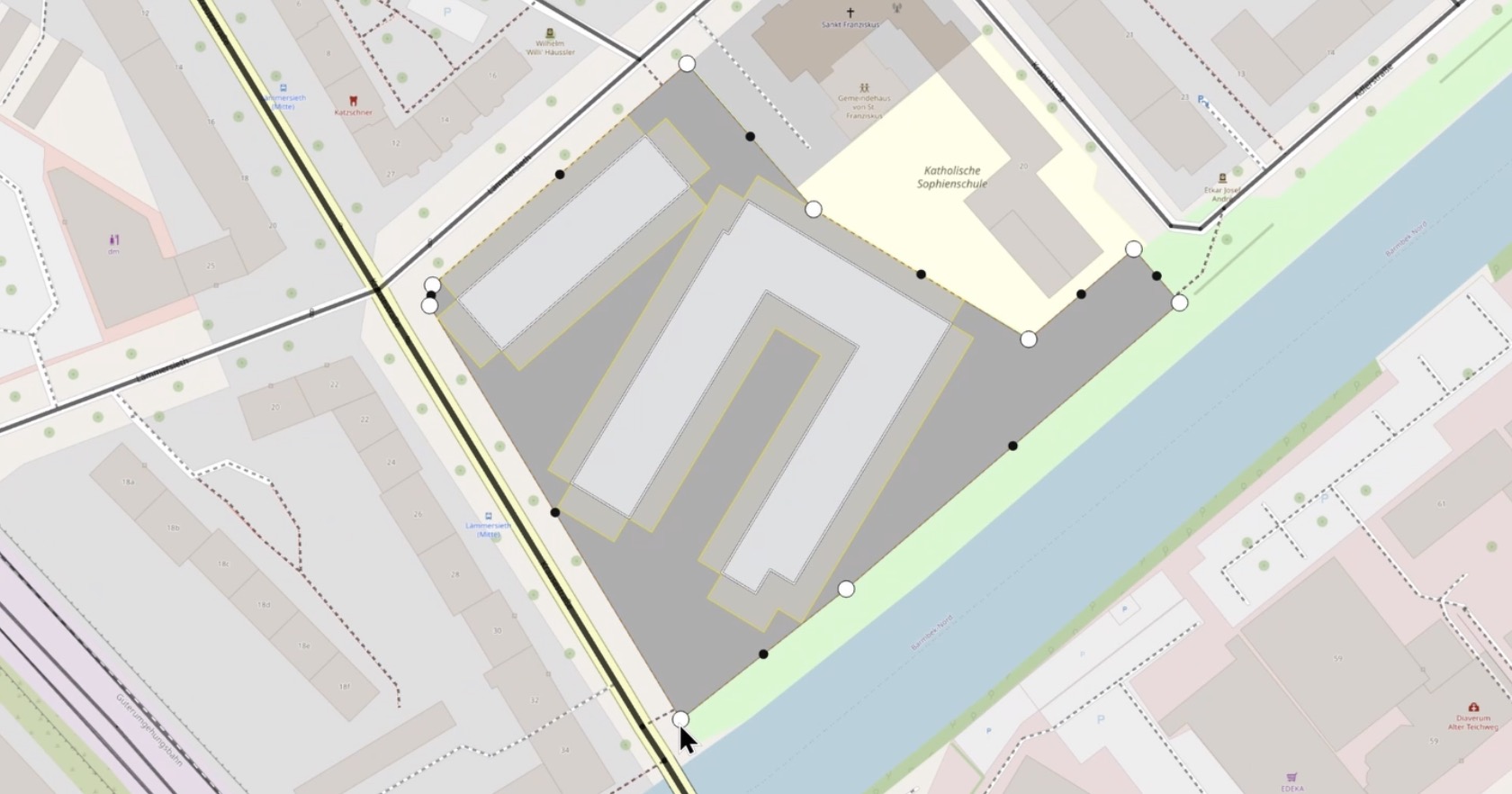
The first result is a starting point, not a locked answer. Move, resize, or redraw any building directly: setbacks, numbers, and compliance update live as you go.

the output

Everything a deal runs on.

The go or no-go, the numbers, and the model to build it. In one report.
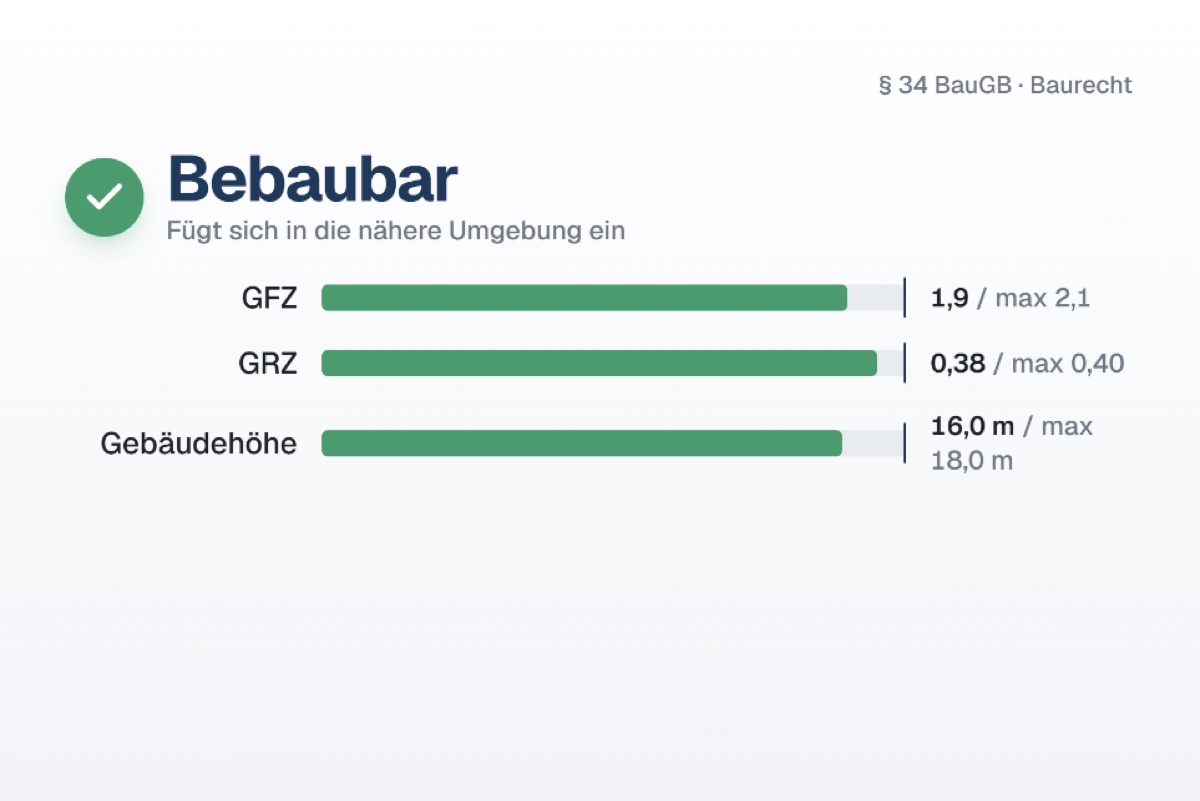
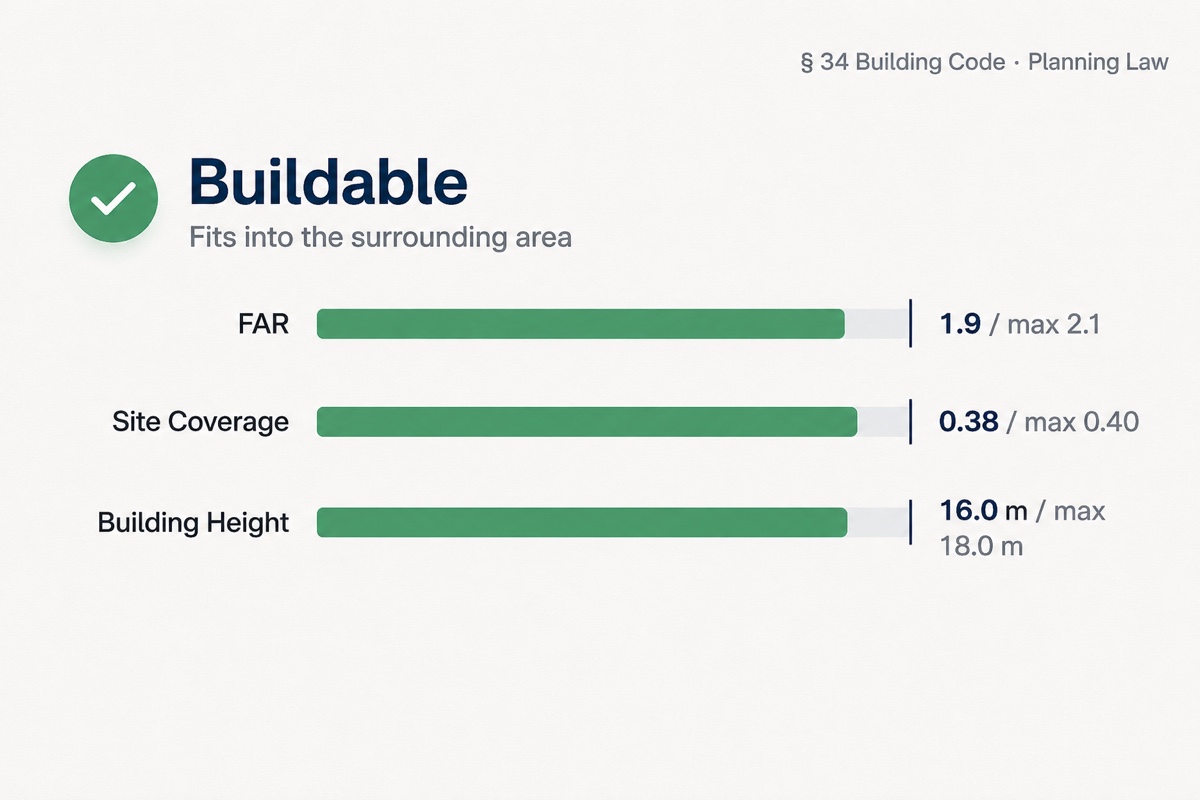
Gen buildability check: floor-area and site-coverage ratios and height against the building codeGen buildability check: floor-area and site-coverage ratios and height against the building code

Can you build it

Zoning go or no-go: density and coverage limits, height, use, and setbacks, checked on the live parcel.
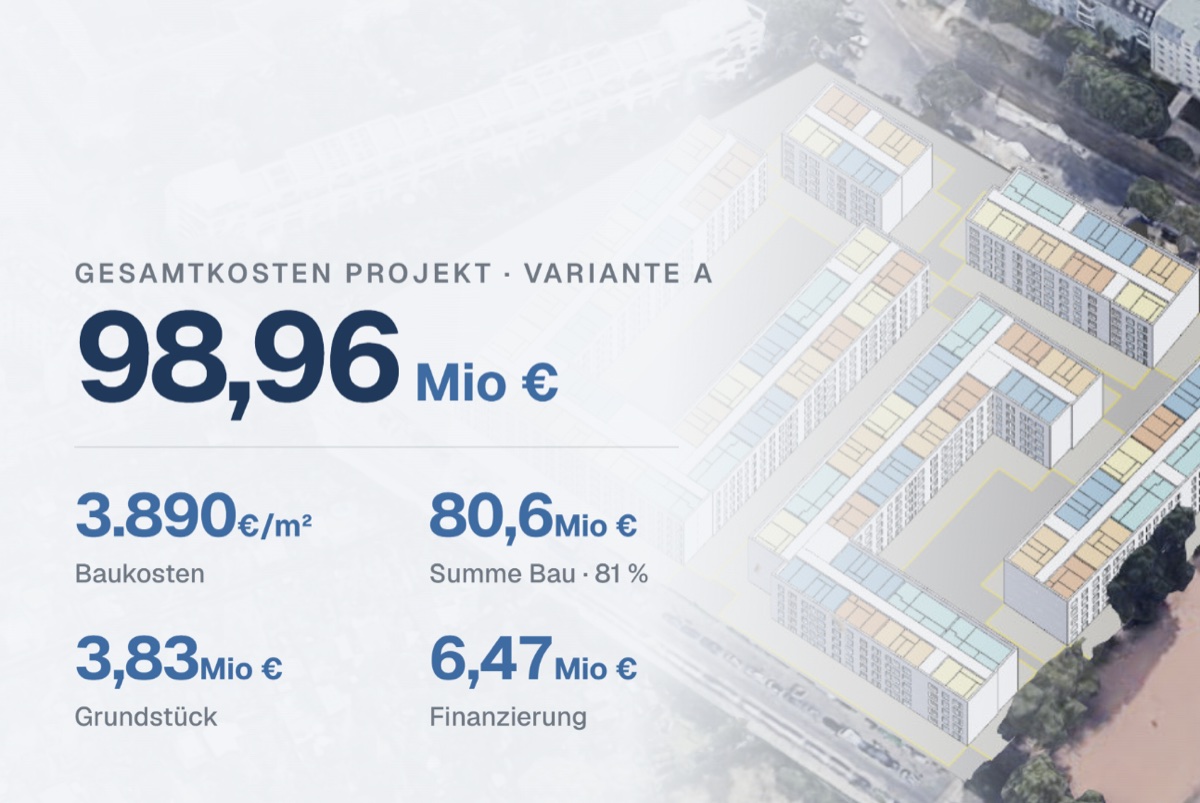
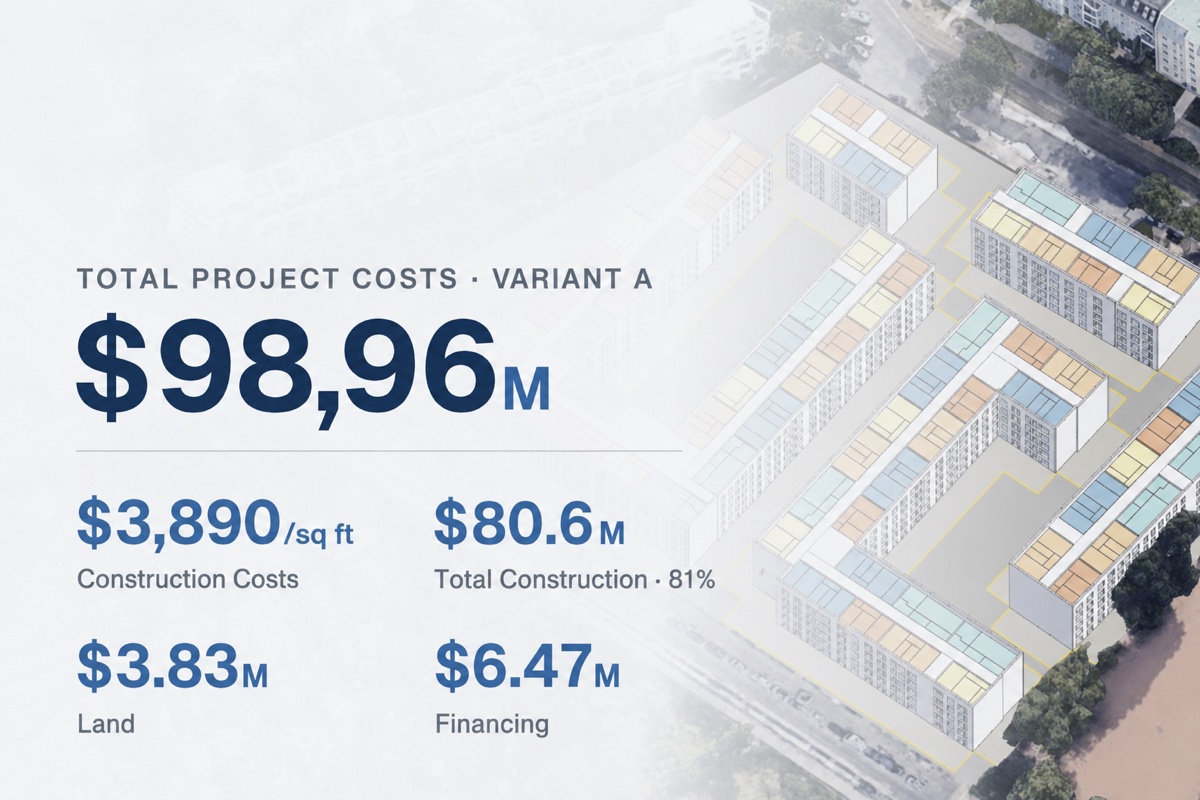
Gen project cost breakdown: total project cost, construction, land, and financingGen project cost breakdown: total project cost, construction, land, and financing

What it's worth

Buildable GFA and unit mix, then GDV, yield, cost per sq ft, and net return, from local market data.
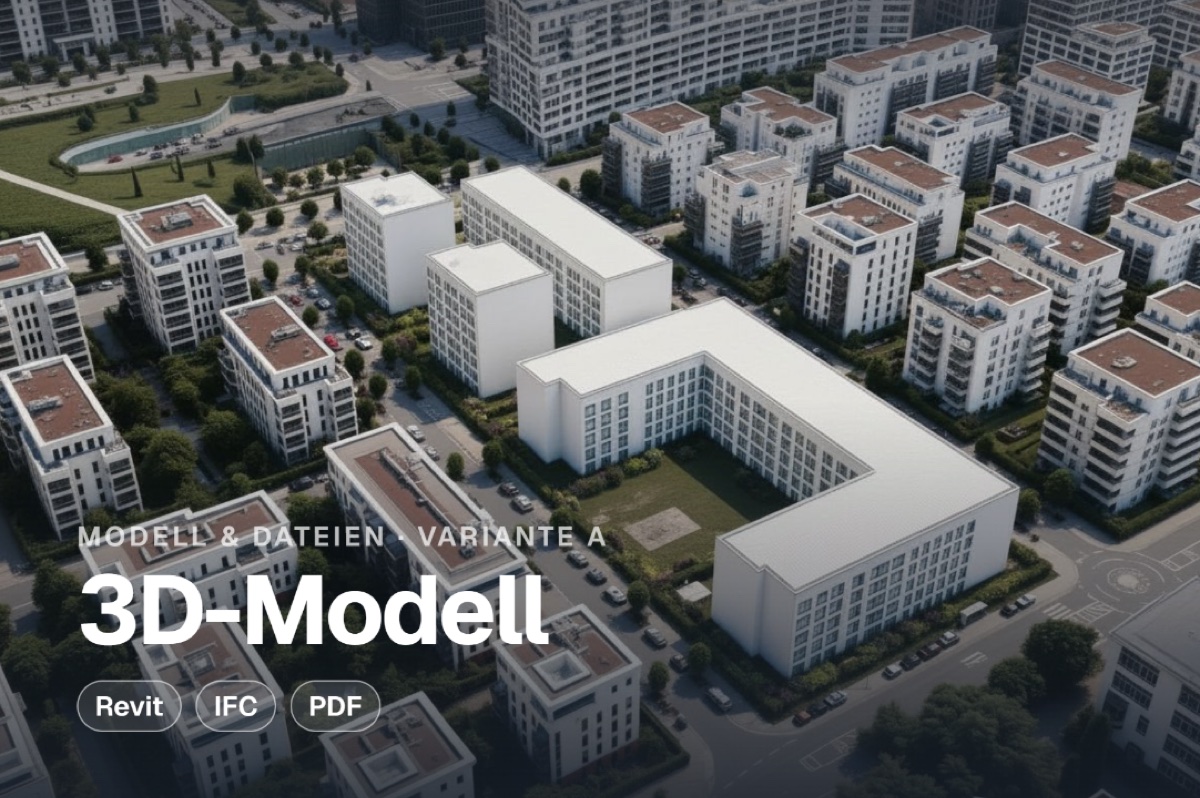
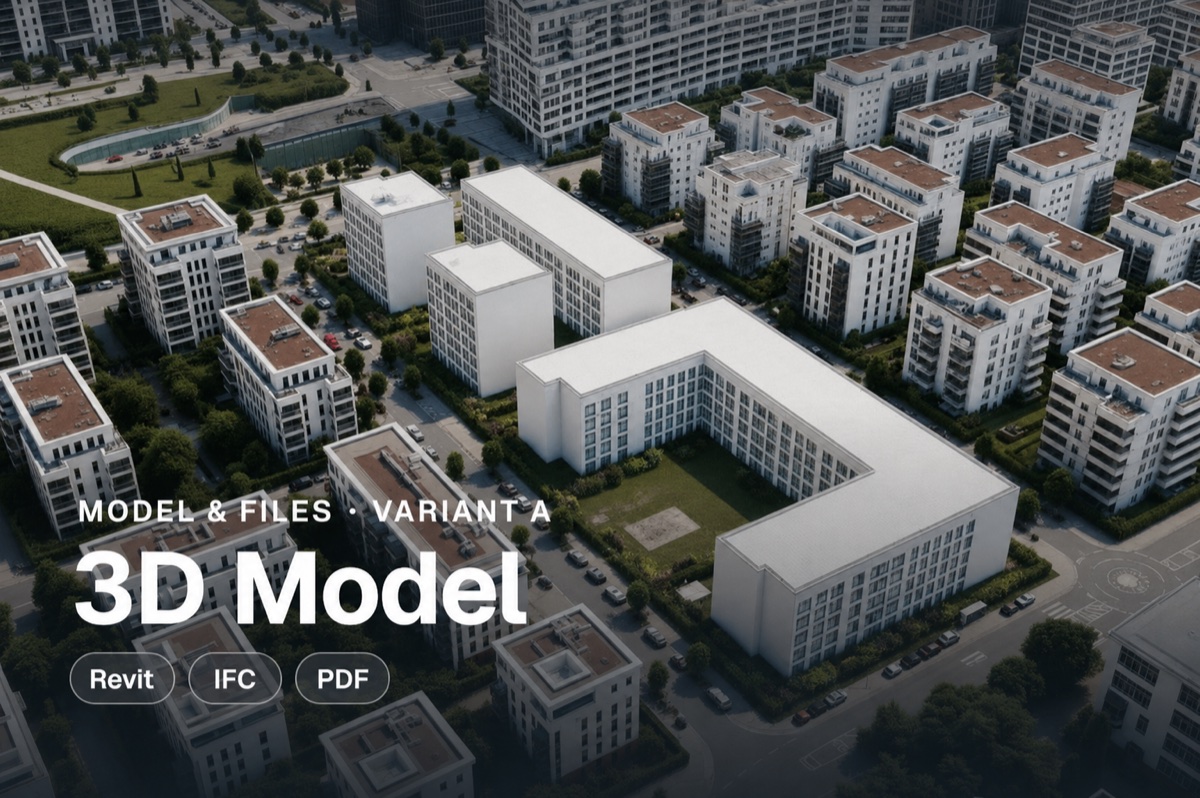
Gen 3D model of the building variant, exportable to Revit, IFC, and PDFGen 3D model of the building variant, exportable to Revit, IFC, and PDF

Model and files

3D model, floor plans, renderings, and export to Revit, IFC, and PDF.
what's inside

One tool, the whole feasibility stack

Compliance, numbers, model, and visualizations. In one tool.

Code-compliant by default

Every massing is checked against local zoning, density, and coverage limits as it’s built. The building it draws is one you are actually allowed to build, something a generic AI can only guess at.

Real-time numbers

Change the footprint, height, or unit mix and the whole pro forma moves with it, from buildable GFA down to yield and profit.

Control the apartment mix

Shift the split between studios, one-beds, and family units and see what each mix is worth. Every option stays zoning-compliant. Working with your own standard layouts? Upload them, and Gen plans with your floor plans instead of generic ones.

Built around your building plan

Upload your zoning plan and Gen works within it: setbacks, heights, and density read from the document. Plan-reading is rolling out now.

Renderings in minutes

Turn the winning scenario into photorealistic renderings, ready for the investor deck before the meeting ends.

testimonials

What developers said when they first saw Gen.

From the demos, in their own words.

What I like is how it efficiently moves the buildings on the plot to maximize the space. That's very smart to see.
Vincentproject developer
It sounded too good to be true, so I booked a call to find the catch. So far, I haven't found one.
Manssourreal estate developer
An architect would need a week to put this together. I'm impressed by the idea, really.
René-Alexanderdeveloper and investor
try it

See it on your own plot.

Enter a plot you know and Gen runs the full feasibility on it.

Updates on every release and what we are building next. Privacy policy.

pricing

One good feasibility study pays for the year.

The more you build, the more it pays back.

start here
starter
$99/ mo
20 feasibility reports a month. Self-serve.
  • Full feasibility report
  • Zoning, density & coverage check
  • GFA, units, GDV, yield, cost per sq ft
  • Export to PDF
Join the waitlist
pro
$499/ mo
Everything in Starter, plus your designs.
  • Your floor plans and Revit families
  • Higher report volume
  • Priority support
  • Export to Revit and IFC
Book a demo
enterprise
Custom
Features built for your team and pipeline.
  • Custom features and integrations
  • Massing built with your building system
  • Dedicated support and onboarding
  • Security and deployment on request
Book a demo
before you start

The questions we hear most.

Does it read the full zoning plan, or just the basic rules?
Today it runs the baseline zoning check, reading the surrounding buildings to set what fits, with density and coverage limits you can set yourself. Full zoning-plan support is coming, plan upload first. The data runs end to end in Germany today, and new markets are rolling out. Tell us where you build and we’ll flag yours when it’s live.
Does it work on small plots?
It's built for mid-size sites today, around 3,000 m²32,000 sq ft and up. Smaller plots and infill are next, so send us your size and we'll flag you when they're live.
Where do the price and cost numbers come from?
Sale prices and rents come from a market-data partner by location, build costs from reference projects by trade. Every number is editable, so you can override it with your own.
Can I change what it generates?
Yes. Move, resize, or redraw any building by hand and the setbacks and numbers update live, so you get a starting point, not a fixed answer.
New build only, or existing buildings too?
New build today. You can keep an existing building on the plot so the numbers account for it, and renovation workflows are on the roadmap.
Does this replace my architect?
No. Gen gets you to a yes or no and the numbers. Your architect designs the building you actually build. We automate the guess, not the design.

Your next plot, one click from a full feasibility.

Run your next site through Gen and have the full feasibility back in minutes.

Updates on every release and what we are building next. Privacy policy.

Get in touch

Request a demo.

Tell us a bit about you and which product you want to see. We’ll get back within one business day.

We’ll only use your details to reply to this request. See our privacy policy.

Thanks — we got it. Check your inbox: we just sent you a confirmation with what to expect next. If it doesn’t turn up, drop a line to hi@os.build.